
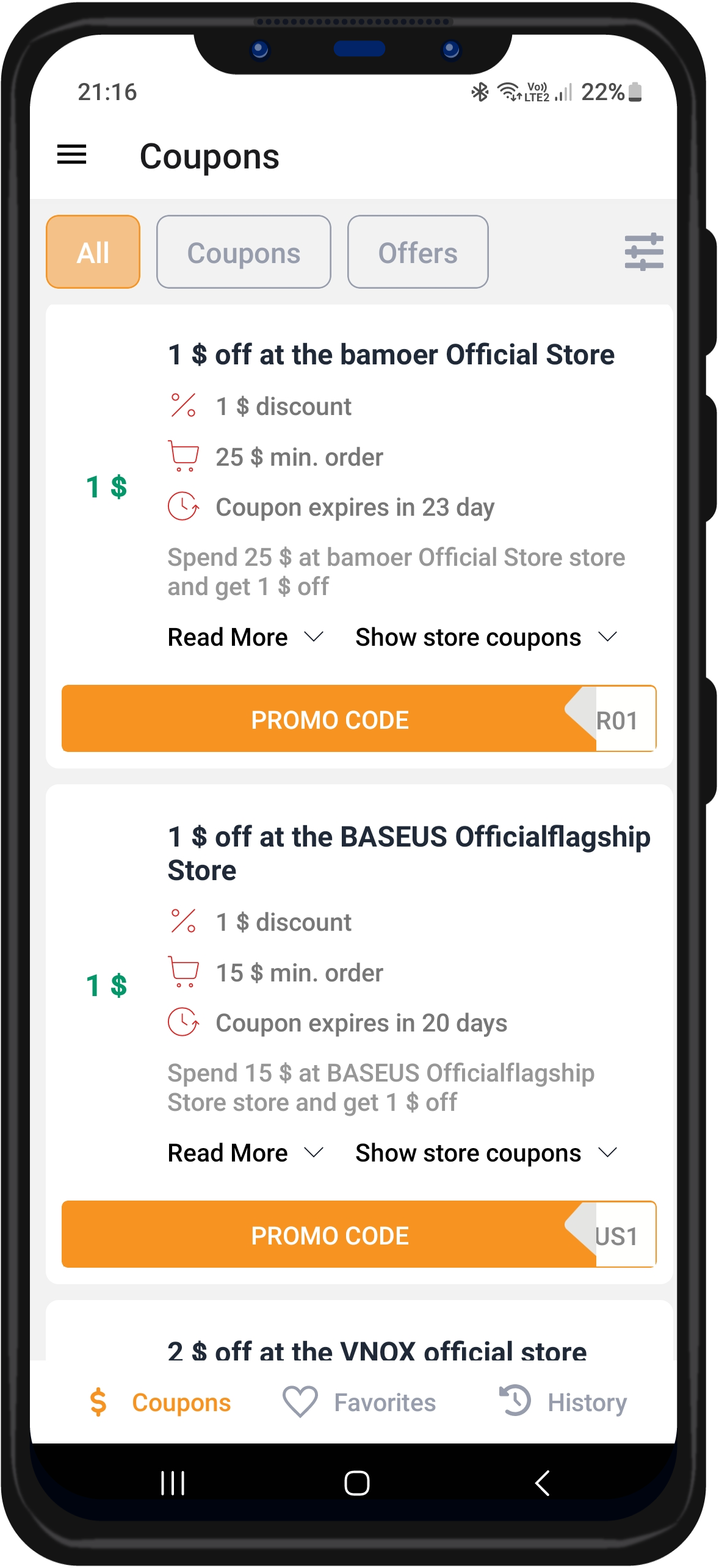
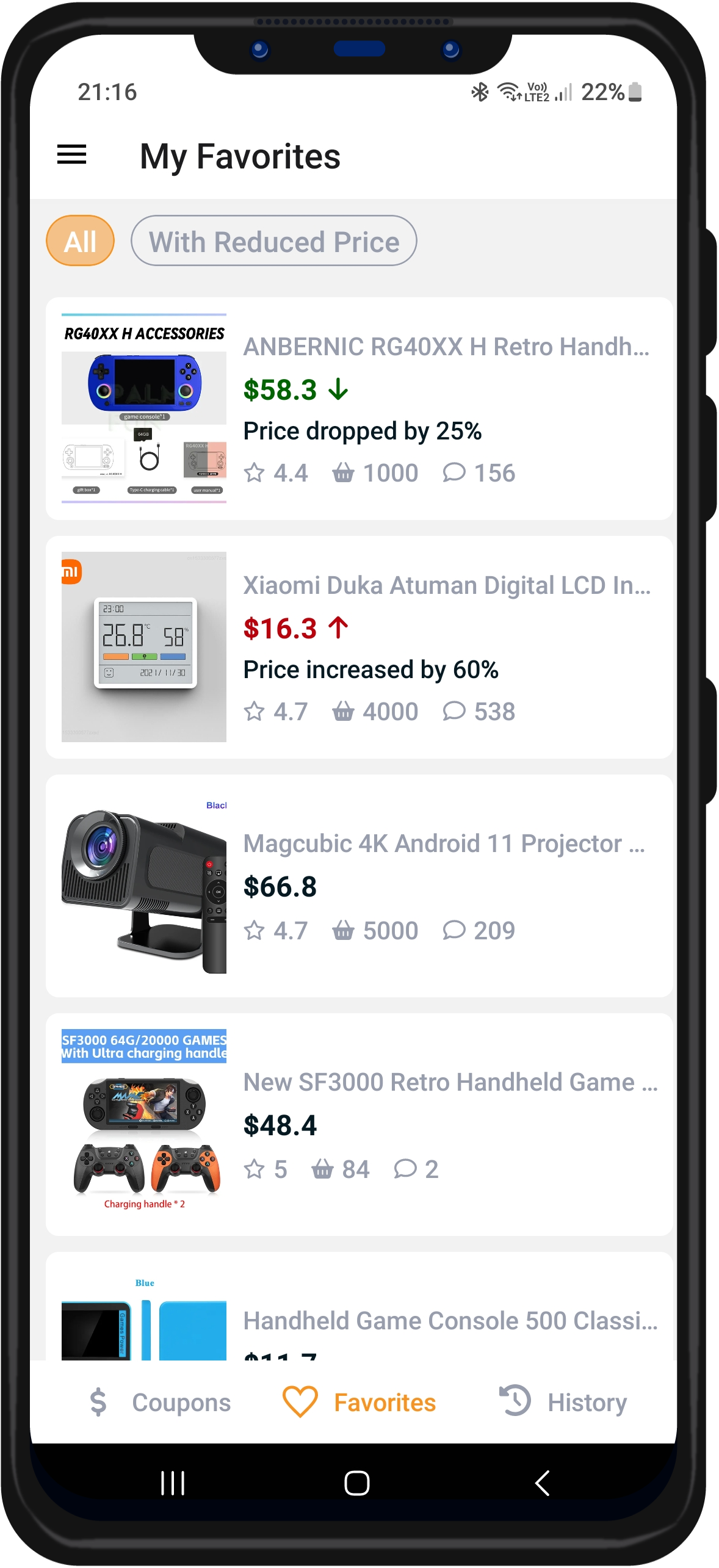
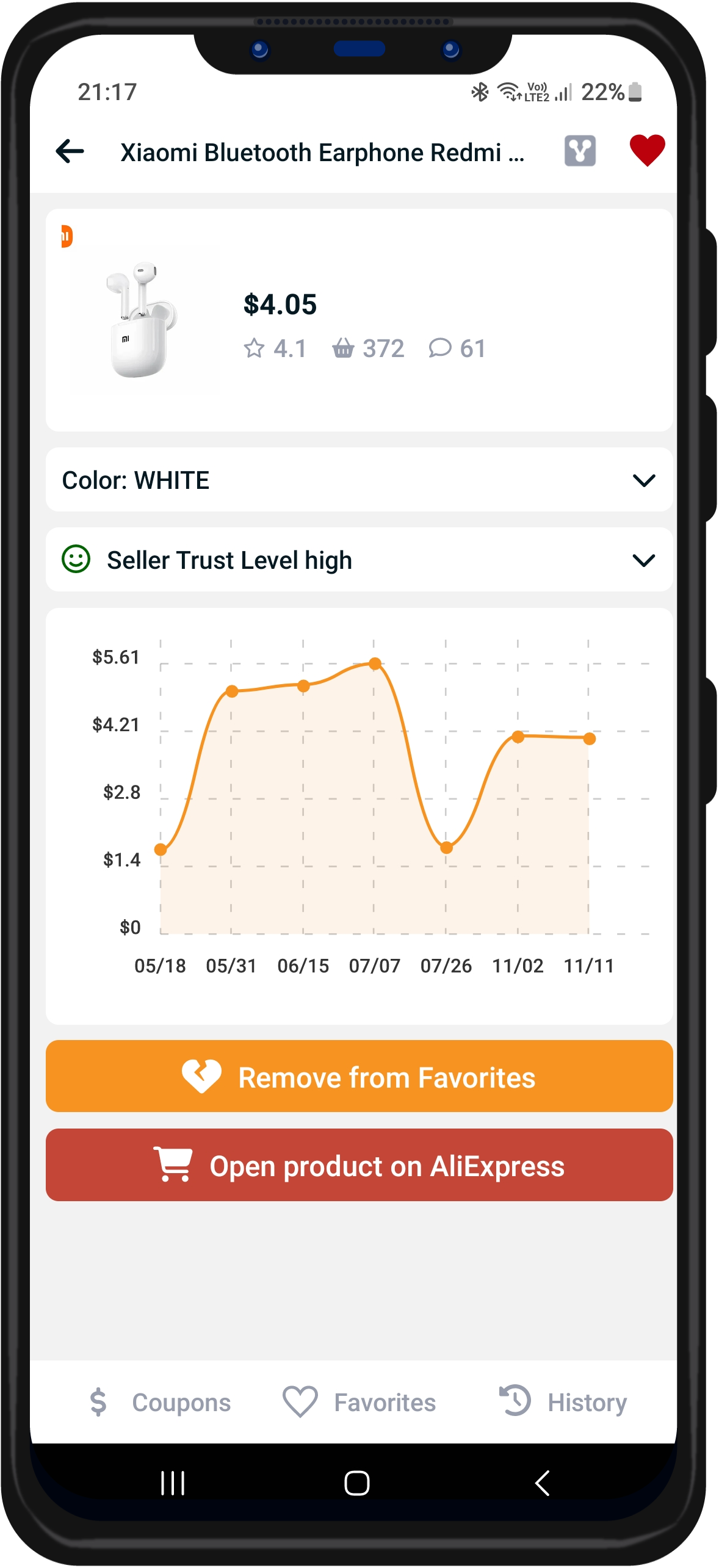
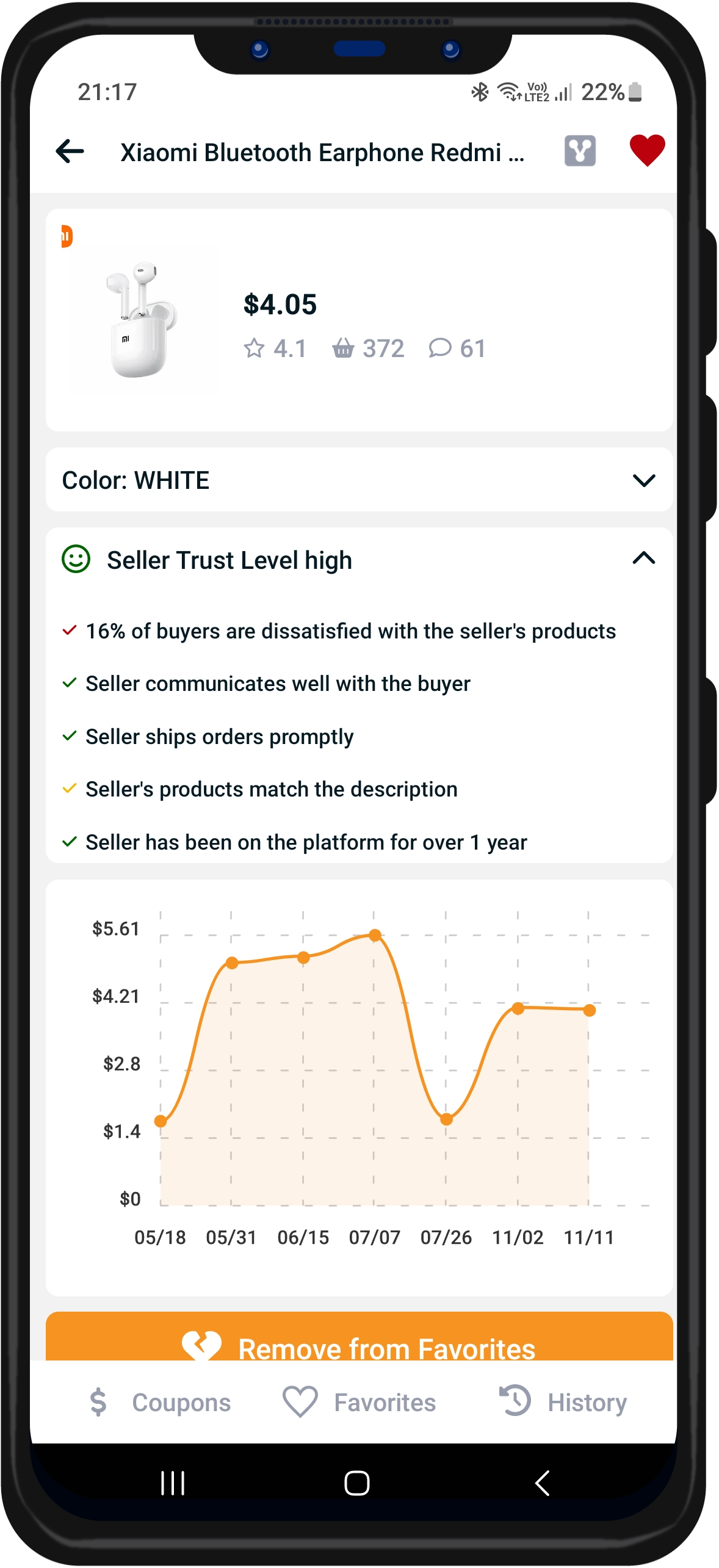
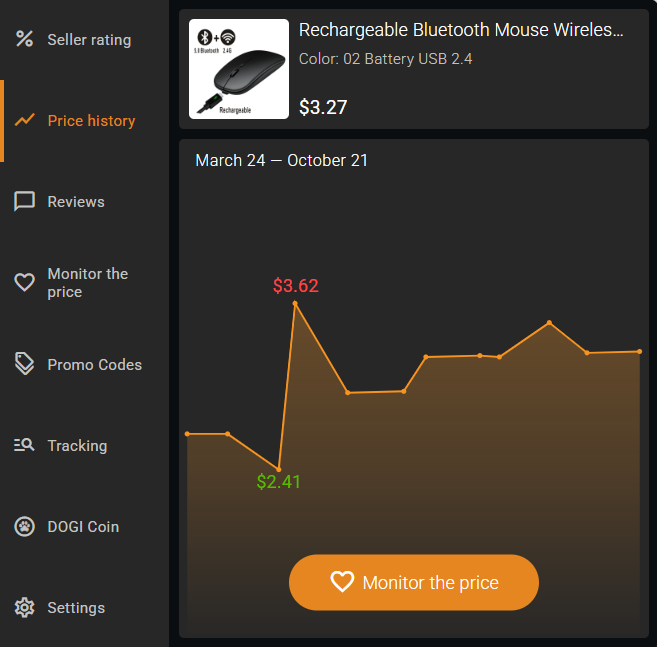

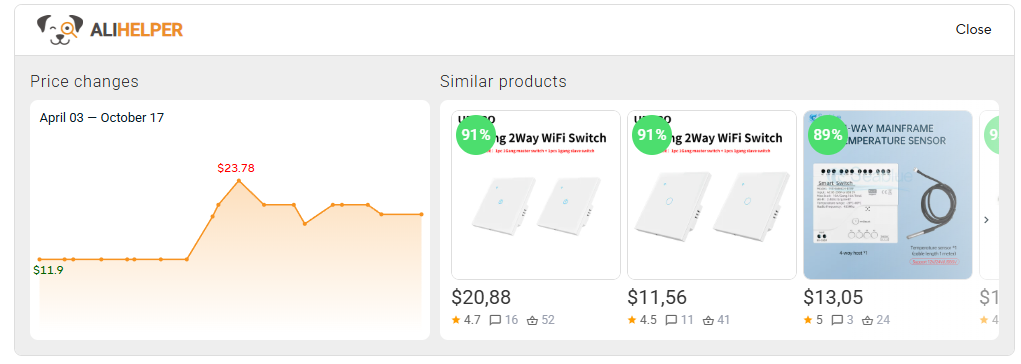
AliHelper automatically builds a price archive for products you view on AliExpress:
When a seller advertises "50% OFF — Was $100, Now $50," you can check the price history chart to verify if the item was ever actually $100, or if this is an inflated comparison price.
This transparency helps you distinguish genuine discounts from marketing tactics.
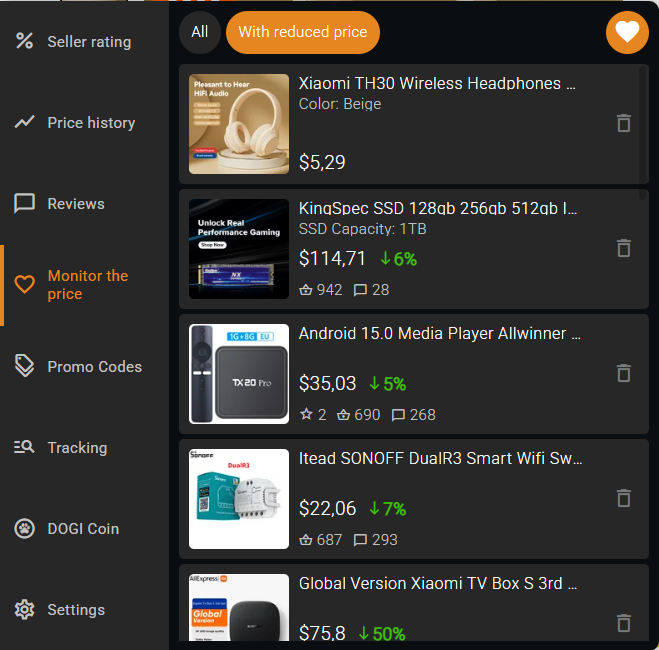
Set up price monitoring to get notified when tracked products drop in price:
Perfect for sales timing: Track items in advance of major AliExpress sales events (11.11, Black Friday, Anniversary Sale). When prices drop, you'll get alerted immediately instead of needing to manually check dozens of product pages.
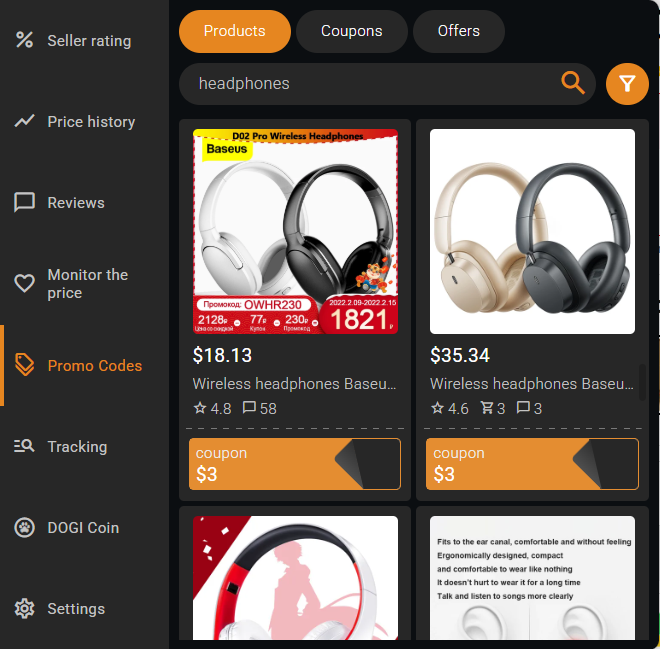
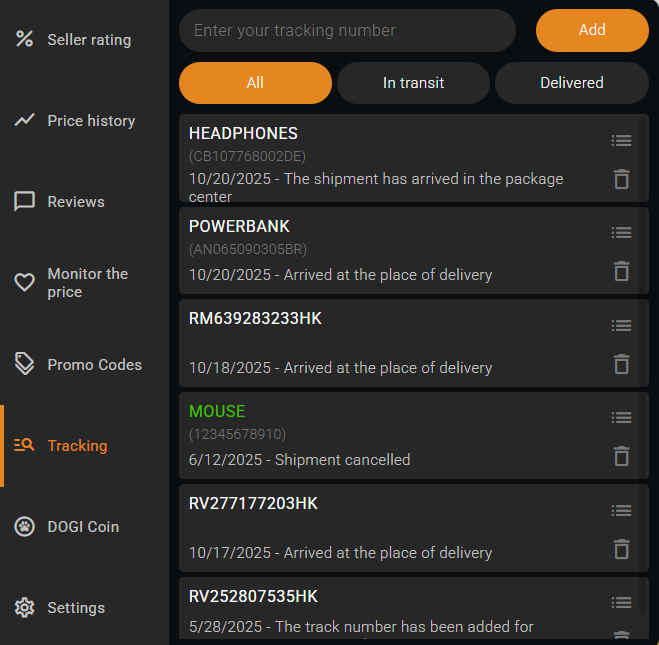

User-friendly and intuitive interface

Editable list of tracked orders

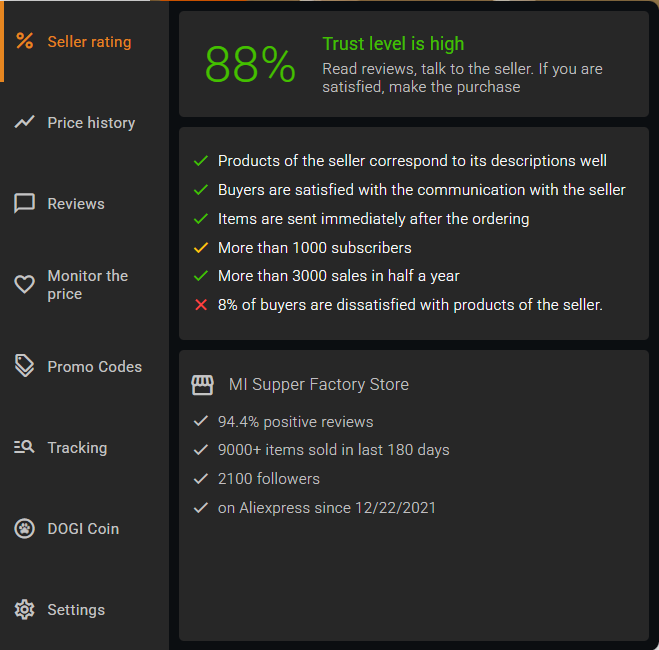
The rating of each store is indicated on the photo of products. This will help you avoid unreliable sellers at the search stage

Flexible settings will help you adjust AliHelper to your needs

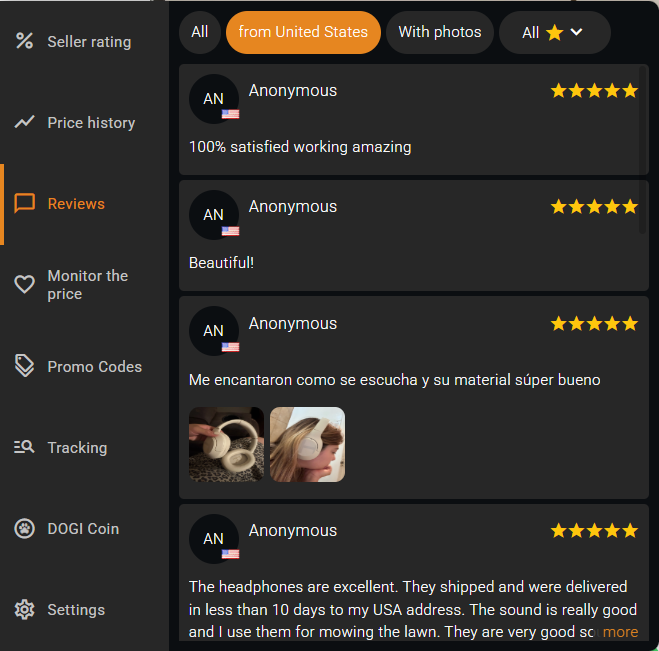
Information about price changes, seller ratings, similar products, etc. is built into the AliExpress interface in a noticeable but unobtrusive way.

A necessary extension for many users to help them find the right product! Respect!

Quite a worthy extension - it became much more convenient to search on aliexpress. In addition, price monitoring has made it easier to find bargains. Thanks to the developers!

I often make purchases on Aliexpress, the application helps, monitor prices for the desired product, as well as know exactly at what stage is my parcel. I find it very useful, so 5 points.

This extension has helped me a lot lately! Everything is great!
AliExpress sellers often create the illusion of significant discounts by inflating "before discount" prices. A product listed as "$50 (was $100)" may have never actually sold for $100 — the real price history might show it consistently sold for $45–$50. Common seller pricing tactics include: • Pre-sale price increases: Raising prices 1–2 weeks before major sales (11.11, Black Friday), then "discounting" back to normal prices • Fake original prices: Displaying inflated "was" prices that never existed • Flash sale manipulation: Creating urgency with fake countdown timers while maintaining standard pricing AliHelper's price tracker shows actual price history over the past six months, revealing these patterns. Users who track prices before major sales can save up to 20% by identifying when AliExpress prices will go down.
AliHelper displays price history covering the past 6 months for tracked products. The extension monitors prices daily, creating a detailed record of price fluctuations over time. The 6-month window covers all major AliExpress sales cycles: 11.11 (Singles' Day) in November, Black Friday in late November, Anniversary Sale in March, Mid-Year Sale in June, and other seasonal promotions. Products show "Traced from [date]" on the price chart, indicating when AliHelper began monitoring that specific item.
AliHelper detects fake discounts by comparing current "sale" prices against actual historical price data from the past 6 months. Example: A product shows "$30 (was $60) — 50% OFF!" but AliHelper's price history reveals the item sold for $28–$32 for the past 5 months, never reaching $60. Verdict: fake discount. The price tracking graph uses color coding: green ↓ arrows for genuine price decreases, red ↑ arrows for price increases (often before "sales"), and flat trend lines for stable pricing despite "discount" claims. Use the "WITH REDUCED PRICE" filter to see only items with actual price drops from their historical averages.
AliHelper displays price history graphs automatically on every AliExpress product page once the extension is installed. To access the price chart: • Compact mode: Click the "Price Changes" icon (second from bottom) in the AliHelper sidebar • Extended mode: The "Price Changes" section appears directly in the extension panel The graph shows price fluctuations over the past 6 months. You can immediately see whether the price has been stable, rising, or genuinely falling — making it easy to judge whether a current "sale" price is actually lower than usual or just presented as a discount.
Setting up price alerts with AliHelper requires just one click. Method 1 — Star Icon: Click the star icon in the AliHelper sidebar on any product page. The product is now monitored. Method 2 — Monitor Button: Open the "Price Changes" section and click the "Monitor the price" button. When a tracked product's price decreases, AliHelper sends instant browser notifications. You can track unlimited products simultaneously. Pro tip: Track products 2–3 weeks before major sales (11.11, Black Friday, Anniversary Sale) to identify whether "sale" prices are actually lower than normal pricing.
Yes! AliHelper's "Similar Products" feature helps you find the same item from alternative sellers, showing current prices, seller reliability ratings, shipping costs, and estimated delivery times side-by-side. The same product can vary 20–30% in price across sellers. Combined with price history tracking, this cheapest price finder feature ensures you're getting the best available deal from a reliable source.
1. Visit any product page and open AliHelper to view the 6-month price history chart. 2. Check recent price trends (last 2–4 weeks). 3. Look for red ↑ arrows before the sale — the seller may have raised prices pre-sale, then "discounted" back to normal levels. 4. Use the "WITH REDUCED PRICE" filter to see only products with actual price decreases. Be careful during major sales! Many sellers raise prices before events like 11.11 or Black Friday, then discount back to normal. AliHelper's price tracker helps you identify these tactics.
1. Install the extension: Add AliHelper free from Chrome Web Store, Firefox Add-ons, Opera, or Edge. 2. Browse AliExpress normally: Visit any product page — AliHelper activates automatically. 3. Check price history: Click "Price Changes" to see the 6-month price graph. 4. Set price alerts: Click the heart icon in the favorites list or the "Monitor the price" button in the price chart section to track the product. 5. Filter real deals: Use "WITH REDUCED PRICE" to see only genuine price decreases. 6. Compare sellers: Check "Similar Products" for better prices from alternative sellers. The extension works on all AliExpress regional sites and requires no configuration — just install and start saving!
