
 Install for free
AliExpress Errors and CSC Codes: How to Fix Payment, Coupon, Address and Security Issues


AliExpress errors are annoying — especially when you’re ready to pay and the order suddenly won’t go through.
AliExpress errors can appear at the worst moment: when you are trying to pay, apply a coupon, save your address or complete checkout during a sale. Some errors are temporary platform glitches, while others are related to your bank, payment method, coupon rules, address format or account security checks.
This guide explains the most common AliExpress errors and CSC codes, what they usually mean and what to try first. If you do not see your exact code, start with the situation: payment error, coupon error, address error or security check. In many cases, the solution is the same: retry later, switch app or website, check your payment method, remove the coupon or contact support.
Quick answer
Most AliExpress errors come from one of four sources: a temporary platform glitch, a bank or payment restriction, incorrect checkout details or an account security check. Start with the fastest fixes: wait 10–30 minutes, switch between the app and website, remove coupons or promo codes, try another payment method and check your address format. If the same error repeats across devices and payment methods, contact your bank and AliExpress support.
Quick checklist (try in this order)
- Wait 10–30 minutes and try again (sales and peak hours cause glitches).
- Switch platform: app → website (or website → app).
- Try another payment method / another card.
- Clear browser cache & cookies (or use an incognito window).
- If it looks like a bank/security issue — contact your bank first.
- If nothing helps — contact AliExpress support.
Key facts
- Error code → points to → a specific checkout bottleneck (payment, coupon rules, address format, or security checks).
- Retry later → fixes → platform glitches (especially during sales and peak hours).
- Different device or platform → bypasses → broken session/cached error.
- Coupon removed → reveals → whether coupon rules are the trigger.
- Bank confirmation → is required for → many card declines and limits.
- Incognito / cleared cookies → fixes → corrupted checkout sessions.
Fast diagnosis (try this first)
| What you see | Most likely cause | Try first | Try next | Escalate to |
|---|---|---|---|---|
| “Order not completed” + coupon | Coupon conditions / platform glitch / account rules | Remove coupon and retry | Switch app ↔ website | Support (if repeats) |
| CSC card errors | Bank limits / validation / restriction | Another card / payment method | Retry later + switch device | Bank |
| Address / phone format errors | Missing/invalid checkout details | Re-check address, phone, ZIP | Save address again + retry | Support (rare) |
| “Unusual activity” / security checks | Risk control / new device/location | Re-login, confirm prompts | Use trusted device/network | Support |
AliExpress CSC codes: quick reference table
| Error code | Usually means | What to try first |
|---|---|---|
| CSC_7200001 | Card or payment method cannot be used | Try another card or payment method |
| CSC_7200006 | Payment method restriction or card issue | Contact your bank or use another card |
| CSC_7200009 | Transaction or spending limit | Check card limits or use another payment method |
| CSC_7200011 | Not enough funds | Add funds or use another payment method |
| CSC_7200012 | Card details failed validation | Re-check card number, expiration date, name and CVV |
| CSC_7200015 | Payment declined or blocked by bank/security | Contact your bank and retry later |
| CSC_7200020 | Incorrect or suspicious card data | Re-enter card details carefully |
| CSC_7200021 | Incorrect CVV/CVC or card verification issue | Check security code and card status |
| CSC_7200022 | Card/payment method restriction | Try another card or contact the bank |
| CSC_7200026 | Additional verification required | Follow verification steps or contact support |
| CSC_7200030 | Address or checkout data issue | Check address, postal code and phone number |
| CSC_7200034 | Address or phone format issue | Save address again and retry |
| CSC_7200040 | Bank restriction or card protection block | Contact issuing bank |
| CSC_7200051 | Card cannot be used for this transaction | Use another card/payment method |
| CSC_7200052 | Account security check | Use main account and contact support if needed |
| CSC_7200053 | Coupon cannot be applied | Remove coupon or use a valid one |
| CSC_7200054 | Unusual activity/security check | Re-login, use trusted device/network |
| 510772327 / 510772400 | Payment declined or marked as risky | Try another card and contact bank/support |
Window with “Order not completed” (when trying to buy a product with a coupon or promo code)
“Order not completed” when using a coupon or promo code
This error often appears when AliExpress cannot complete checkout with the selected coupon, promo code or discount. It does not always mean your card is blocked.
Common reasons
- the coupon does not match the order conditions;
- the minimum spend is not reached;
- the coupon works only for selected items or stores;
- the promo code expired;
- the coupon is not valid in your region;
- AliExpress is overloaded during a sale;
- the system flags the account or discount use as suspicious.
What to do
- Contact AliExpress support if the same error repeats.
- Remove the coupon and try checkout again.
- Check the coupon rules: minimum spend, country, category and expiration date.
- Switch between the app and website.
- Wait 10–30 minutes and retry.
- Avoid using multiple accounts with the same card to claim new-user deals.
Might be of interest: Free return on AliExpress.
Errors when paying by card
CSC_7200001, CSC_7200006, CSC_7200022, CSC_7200051
Usually means your card can’t be used for this payment on AliExpress (currency/payment network restrictions, card settings, or bank limits).
Try this:
- Use a different card (ideally from another bank).
- Try another payment method available in your region.
- If the same card always fails on AliExpress, ask your bank whether online/international payments are restricted.
Error CSC_7200009
This error usually means that you may have reached a spending limit, transaction limit or payment restriction on your card or account.
What to do:
- split the order only if it does not violate AliExpress rules or coupon conditions.
- check your daily or monthly card limits;
- contact your bank and ask whether the transaction was declined;
- raise the limit if possible;
- try another card or payment method;
CSC_7200011
There is not enough money on your bank card or account to make a payment. You need to deposit funds to retry the payment or choose an alternative method, for example, use another card.
CSC_7200012
Card details don’t pass validation.
Check:
- Expiration date
- Card number
- Cardholder name (if required)
- CVV/CVC
Then retry the payment carefully.
It could be interesting: AliExpress app for Android – AliHelper.
Error CSC_7200015
Most often this is a bank-side issue: the payment is blocked, declined, or flagged.
Common causes
- Transaction limits (daily/monthly).
- The bank flags the payment as suspicious (especially large orders or unusual activity).
- Extra verification is required by the bank.
What to do
If AliExpress is unstable (sales/peak hours), retry later.
Contact your bank and ask if the transaction is being blocked.
Try another card or payment method.
Error CSC_7200020
AliExpress may not be able to verify your card details. It is recommended to carefully double-check the information you provided when placing an order, including cardholder’s name, number, expiration date, CVV/CVC/CVP code and other data to make sure they are correct.
Error CSC_7200021
This error is often related to card verification. The CVV/CVC code may be incorrect, the card may be inactive, or the bank may require additional verification.
What to do:
- re-enter the CVV/CVC carefully;
- check whether the card is active;
- make sure online and international payments are enabled;
- contact your bank if the card should work but keeps failing;
- try another payment method.
CSC_7200026
AliExpress requires additional verification for security reasons.
What to do:
- If you believe your account/card was flagged by mistake, contact AliExpress support and your bank.
- Follow the verification steps offered by the platform (if shown).
- If verification takes time, use another payment method in the meantime.
Might be of interest: Open a dispute on AliExpress.
CSC_7200040
This error can be caused by bank card restrictions or a payment security block. It is recommended to contact the issuing bank to clarify possible problems with the card or use an alternative payment method. Some banks, for protection purposes, may temporarily block the card when a series of purchases from a single source is detected to prevent possible fraud or loss of the card.
Errors 510772327, 510772400
The payment was declined (sometimes shown as a security threat).
Try:
- Use another bank card.
- Switch device/platform: app → desktop browser (or the other way around).
- If it still declines, ask your bank whether AliExpress payments are blocked.
Errors when entering address and other data: CSC_7200030, CSC_7200034
AliExpress can’t process your order because some details are missing or formatted incorrectly — most often it’s the delivery address or phone number.
What to do:
- If it happens only in the app, try the website (or vice versa).
- Re-check your name, address, postal code, and phone number.
- Save the address again and retry checkout.
Other AliExpress errors
Error CSC_7200029
We explain this error in detail in a separate guide – Error 7200029 on Aliexpress.
CSC_7200052
This is usually related to account security checks.
What to do:
- Make sure you’re using your main account consistently.
- Avoid actions that can look suspicious (multiple accounts, repeated coupon abuse, unusual payment patterns).
- If you’re sure everything is legitimate, contact AliExpress support.
CSC_7200053
Often appears when the coupon you selected can’t be applied.
Fix: remove the coupon and try again, or delete it and re-add a valid one.
CSC_7200054
AliExpress detected unusual activity (for example, login from a new device/location or an unsupported payment attempt).
Fix: log in again, confirm any security prompts, and try checkout from a trusted device/network. If it repeats — contact support.
What else you can do if AliExpress keeps showing an error
If the specific steps above didn’t help, try these universal fixes:
Check with your bank
If the error looks payment-related, the fastest path is often your bank:
- Are online/international payments enabled?
- Did the transaction get declined or flagged?
- Are there limits on your card/account?
Use another payment method
Try a different card (preferably another bank) or another available payment method.
Wait and retry
Platform glitches happen — especially during big sales. Retry later and check email/app notifications for any prompts.
Switch app ↔ website
If it fails in the app, try the desktop website. If it fails on the website, try the app.
Reinstall the app (if you use mobile)
A clean reinstall can fix broken sessions and cached errors.
Clear cache/cookies or use a different browser
Corrupted cache/cookies can break checkout. Clear them or use an incognito window and try again.
Contact AliExpress support
If the error repeats for hours (or across devices), support can confirm whether your account/payment is restricted.
Before you contact AliExpress support (save time)
Prepare:
- the exact error code/message
- time and date when it happened
- order ID (if available)
- screenshots (checkout + error screen)
- device + platform (Android/iOS/app or desktop/browser)
- payment method used (card type / alternative method)
This helps support confirm whether your account or payment is restricted and speeds up resolution.
Should you create a new AliExpress account?
Creating a new account should be a last resort, not the first fix. If the error is caused by your bank, payment method, address format or platform glitch, a new account may not help.
Be careful: AliExpress may restrict accounts if it detects attempts to abuse new-user deals, coupons or payment methods.
Before creating a new account, try:
- another payment method;
- another device or platform;
- clearing cache/cookies;
- removing coupons;
- contacting your bank;
- contacting AliExpress support.
How to prevent AliExpress errors (best practices)
- Use one main account consistently (avoid frequent switching).
- Don’t mix multiple accounts with the same payment method.
- Keep your address and phone in a clean, standard format.
- During big sales, expect glitches — do checkout in off-peak hours if possible.
- Test coupons in cart: coupon rules → determine → whether it applies.
- Keep the app updated and avoid broken sessions: reinstall → resets → corrupted cache (when needed).
How AliHelper can help prevent shopping problems
AliHelper cannot fix AliExpress payment errors or bank declines directly. However, it can help you avoid some problems before checkout.
Before placing an order, AliHelper can help you:
- check seller reliability;
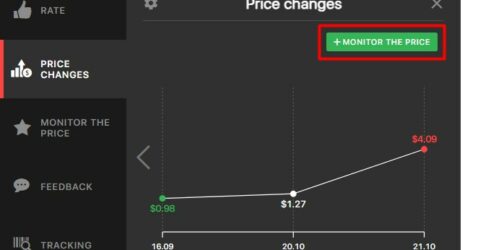
- view price history;
- compare similar products;
- find valid coupons and promo codes;
- avoid suspicious discounts;
- track parcels after purchase.
This is useful because some checkout errors appear when coupons do not match the order conditions or when a seller/product looks risky. AliHelper helps you prepare a cleaner purchase: reliable seller, realistic price, valid coupon and clear product choice.
Conclusion
Most AliExpress errors are caused by one of three things: a temporary platform glitch, a bank/payment restriction, or an account security check.
Start with the quick checklist (switch platform, retry later, try another payment method). If the same error persists across devices and time, contact your bank and AliExpress support — that’s usually the shortest way to unblock checkout.


CSC errors are checkout-related error codes on AliExpress. They usually point to a payment problem, coupon issue, address format error or account security check. The exact cause may depend on your bank, payment method, region and account status.
This usually happens because of coupon rules, temporary platform glitches, payment restrictions or account security checks. Remove the coupon, retry later, switch between app and website, and try another payment method.
Your bank may block international payments, online payments or repeated transactions. The card details may also be incorrect, the card may have insufficient funds or AliExpress may require additional verification.
CSC_7200015 is often related to a payment decline or bank-side restriction. Contact your bank, check card limits and try another payment method.
CSC_7200053 often appears when a coupon or promo code cannot be applied. Remove the coupon, check the conditions and try again.
Try switching between app and website, clearing cache, using another payment method, removing coupons and retrying later. If the error repeats across devices, contact your bank and AliExpress support.
If the error is payment-related, contact your bank first. If the error is related to account security, coupon rules, address format or repeated platform restrictions, contact AliExpress support.
It may. A VPN or changing location can sometimes trigger security checks. For checkout, use a stable network and trusted device.
A new account should be a last resort. It may not fix bank or payment problems and can create additional security checks if AliExpress suspects coupon or new-user deal abuse.





what does [TCSSV2] mean?
AliExpress doesn’t publicly document [TCSSV2]. Judging by its format, it’s an internal backend service tag. It tells you which system rejected the request, not exactly why. It usually shows up during checkout or payment, likely from the module that validates the cart, coupons, address and payment before the order is created. Common triggers are an invalid or non-stackable coupon, an item or SKU that went out of stock or changed price, an unsupported shipping address, or a risk check or temporary server issue.
To fix it, remove the coupons, re-add the item or order it separately, check the address, switch between the app and the browser, and retry later. If it keeps happening, contact AliExpress support with a screenshot of the code.