
 Install for free
How to Open an AliExpress Dispute Without Making the Seller’s Job Easier


Opening a dispute on AliExpress helps buyers request a refund or another solution when something goes wrong with an order. This article provides a step-by-step guide on how to open a dispute on AliExpress in 2026. It also highlights the most common situations where a dispute may be needed.
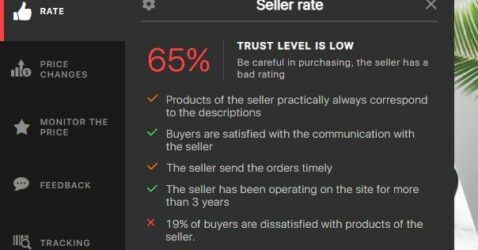
It is worth noting that the reasons for disputes on AliExpress could be significantly lower if you only buy from verified sellers. Rating sellers on Aliexpress will help to make AliHelper. This is a free extension for your browser. It also shows price history, helps track the package, finds similar products and more.

What is an AliExpress dispute?
An AliExpress dispute is an official case opened when something goes wrong with an order. It lets the buyer show evidence, explain the problem and ask for a refund, return or compensation.
Use a dispute when the seller cannot solve the problem normally or when buyer protection/deadline is close. A chat promise from the seller is not the same as an AliExpress refund.
The key aspects of a dispute on AliExpress
| Dispute Aspect | Description |
| Reasons for Dispute | Disputes can arise if the product does not match the description, arrives damaged, is delayed, or if the buyer is dissatisfied with the quality of the product. |
| Opening a Dispute | Buyers can open a claim case in their AliExpress account, stating the reasons and attaching evidence such as photos, unpacking videos, or communication with the seller. |
| Interaction with Seller | After the dispute is opened, the seller can propose solutions like partial refunds or shipping a new product. Communication happens via the AliExpress platform. |
| AliExpress Intervention | If no agreement is reached, AliExpress can intervene. Moderators review the evidence and make a final decision. |
| Outcome of the Dispute | If successful, the buyer can receive a partial or full refund, including product and shipping costs, depending on the circumstances. |
| Time Limits | Disputes must be opened within a specific time after receiving the product or after the delivery period expires. Time limits vary based on the transaction. |
| Buyer Protection | AliExpress prioritizes buyer protection, allowing them to resolve issues when sellers fail to meet transaction terms or deliver subpar goods. |
When should you open a dispute on AliExpress?
| Situation | Open a dispute? | Best evidence |
|---|---|---|
| Parcel did not arrive | Yes, especially when buyer protection is ending | Tracking screenshots, order details |
| Tracking shows wrong country/city/address | Yes | Tracking screenshots + order shipping address |
| Item arrived damaged | Yes | Unboxing video, photos of damage and packaging |
| Wrong item received | Yes | Photos of received item + order details |
| Wrong size, color or model | Yes | Photos, measurements, selected product option |
| Product does not match description | Yes | Listing screenshots + real photos/video |
| Missing parts or accessories | Yes | Unboxing video, package contents photo |
| Seller asks you to confirm receipt first | Do not confirm; prepare evidence | Seller messages, order/tracking screenshots |
| Payment was charged twice | Usually support/bank first, dispute only if linked to order issue | Bank statement, order/payment screenshots |
Step-by-step instructions on how to open a dispute on AliExpress
Log in to your AliExpress account and open the “My orders” section. Find the order for which you want to open a dispute.
Open the order page and check the order details, including the delivery status, expected delivery date and condition of the goods.
If you have a problem with the order, such as a mismatch with the description, damage to the goods, incomplete composition, etc., click on the “Dispute” button.
Then choose one of two options:
- Goods partially or fully delivered (selected e.g. for quality disputes);
- Goods not delivered (e.g. if the delivery time has expired).
After selecting the delivery status, a list of reasons appears for selection. Select one and describe it below. You can also attach photo and video material.
After opening the dispute, the seller has a few days to respond and agree the terms of the return or exchange with the buyer. If this is not done in time, the buyer will automatically receive a full refund.
How to open a dispute in the AliExpress mobile app
- Log in to the AliExpress mobile app and open the “My Orders” section. Find the order for which you want to open a claim;
- The next steps are similar to the website: choose the reason, add evidence and submit the dispute.
Dispute text templates
Parcel not received
I did not receive the package. Tracking has not updated for a long time, and the delivery period/buyer protection is ending. I attached tracking screenshots. I request a full refund.
Delivered to wrong address
Tracking shows “Delivered”, but the parcel was delivered to a different city/ZIP/address, not to my shipping address. I attached tracking screenshots and my order shipping address. I did not receive the package and request a full refund.
Damaged item
The item arrived damaged and cannot be used normally. I attached photos and an unboxing video showing the damage. I request a full refund.
Wrong item
I ordered [item/model/color/size], but received [wrong item/model/color/size]. I attached photos of the received item and screenshots of my order details. I request a [full/partial] refund.
Product not as described
The product does not match the description. The listing says [specific detail], but the item I received is [real condition]. I attached photos and listing screenshots for comparison. I request a [full/partial] refund.
If the seller asks you to confirm receipt before delivery
Do not confirm receipt if you did not receive and check the item.
Be careful if the seller says:
- “Please confirm receipt and then open a dispute.”
- “The item is out of stock, but the order is already shipped.”
- “Click Order Received, then I will refund you.”
- “Do not open a dispute, I will solve it later.”
Confirming receipt tells AliExpress that the order was received. If the parcel is fake-shipped, not delivered or sent with a suspicious tracking number, save seller messages and tracking screenshots instead.
A seller who asks you to confirm something false is not helping you. They are helping themselves.
When to expect a decision
The waiting time for a decision on a dispute on AliExpress can vary depending on various factors. The platform offers some guidance periods, but these can vary depending on the specific situation. Deadlines can vary from a few days to several weeks, depending on the nature of the dispute and the stage of its review.
AliExpress strives to resolve disputes fairly, and the platform has an interest in ensuring that the process runs smoothly. Check the dispute regularly and respond if AliExpress asks for more information.
How to reopen a dispute on AliExpress
It is possible to reopen a dispute on AliExpress if you have not clicked “Accept”, but only canceled it, the protection period is still valid and the administration has not closed the escalated conflict in favor of the seller. And this may be necessary in a number of situations if you are not satisfied with the results of the original argument. It’s important to note that reopening a dispute is a serious statement and must be supported by convincing evidence. Here are some cases where this might be necessary and how to do it:
- Defective or wrong product received.
- Problems with tracking number or delivery.
- Seller not cooperating.
Opening a dispute again is similar to the first time.
Why you cannot open a dispute on AliExpress
Common reasons:
| Reason | What it means | What to do |
|---|---|---|
| Dispute deadline expired | The allowed time is over | Contact support, but chances are weaker |
| Order is not eligible yet | The system does not allow dispute at this stage | Check order status and buyer protection |
| Order was already completed long ago | The dispute window may be closed | Check order details and support options |
| You accepted the seller’s solution | The case may be considered closed | Check whether reopen is available |
| Technical problem | App/browser does not load the form | Try browser, app, another device or clear cache |
| Missing information | Reason, amount or evidence not filled correctly | Complete all required fields |
| Account restriction | Account is blocked or limited | Contact AliExpress support |
If the dispute button is missing, do not just click around angrily. Check order status, deadlines, deleted/archived orders and whether you are logged into the correct account.
What not to do when opening a dispute
Do not:
- confirm receipt before receiving and checking the parcel;
- close the dispute because the seller promises a refund later;
- accept a refund outside AliExpress;
- send money to the seller outside the platform;
- agree to a different product if you do not want it;
- ignore dispute deadlines;
- upload blurry or useless photos;
- write only “bad product” without details;
- delete seller messages, tracking screenshots or order emails;
- open a dispute with the wrong reason if a more accurate one is available.
A dispute is not a place for chaos. It is a small evidence folder with a refund request attached.
Conclusion
AliExpress, as one of the largest online platforms for buying products from China and other countries, acts as an intermediary between millions of buyers and sellers. AliExpress’ interest in the fair resolution of disputes between these parties is obvious for several reasons: maintaining reputation, attracting new customers and strengthening the loyalty of existing customers, promoting high-quality services, reducing the risk of fraud and maintaining a positive image.
Platform strives to create a trusting environment for online commerce. Fair complaint resolution is a key element of this strategy. This allows the platform to develop, attract new users and ensure safe and satisfying purchases for millions of consumers worldwide. It’s not enough to know how to open, you need to win a dispute on Aliexpress, read our article on this link.
It is important to bear in mind that the dispute resolution process on AliExpress can take some time. This requires attention in providing evidence and describing the problem. Be patient, never be rude to the seller or the platform representatives, follow the instructions and check the status of your claim regularly. Now you know when to open an AliExpress dispute, what evidence to attach and what mistakes to avoid.


Open “My Orders”, choose the order, go to order details and click “Open Dispute” or “Return/Refund”. Select the reason, refund amount, describe the problem and attach evidence.
Open a dispute if the parcel did not arrive, tracking shows the wrong address, the item is damaged, the wrong product was sent, the product does not match the description or the seller cannot solve the problem before the deadline.
Attach tracking screenshots, order details, product photos, unboxing video, listing screenshots, seller messages, measurements or carrier confirmation if relevant.
You can contact the seller first if there is enough time. But if buyer protection is ending or the seller only asks you to wait, open a dispute through AliExpress.
No. Do not confirm receipt if you did not receive and check the item. Confirming receipt tells AliExpress that the order was received.
Do not do it. Save the seller’s messages and tracking screenshots. If the order was not delivered, use the dispute or support tools without confirming receipt falsely.
Yes, especially if tracking shows delivery to a different city, ZIP code or address. Attach tracking screenshots and your order shipping address.
The dispute deadline may have expired, the order may not be eligible yet, required fields may be incomplete, there may be a technical issue or your account may have restrictions.
Sometimes, if you canceled it yourself, did not accept the seller’s solution and the dispute/protection window is still active. If AliExpress already closed the escalated case, reopening may not be possible.






I had an interesting situation on AliExpress. I ordered a keyboard, paid for it, and the status showed it was shipped. Then the seller messaged me saying the model was out of stock and asked me to cancel the order. But I couldn’t cancel because it was marked as shipped. The seller then told me to click ‘Order Received’ and open a dispute. This seemed suspicious to me. It appeared the seller had assigned a fake tracking number to an item they never sent. I ignored the seller’s requests and soon received an apology email from AliExpress. They stated that the money would be refunded and that appropriate measures would be taken against the seller.
Do not buy from AliExpress. It is impossible to open a dispute when goods do not arrive