
 Install for free
How to Restore Your AliExpress Account: Password Reset, Old Orders and Blocked Profiles


For many buyers, it is important to have access to their AliExpress account. There may be active orders, archived items that need to be ordered from a particular seller, or bonuses that one would like to take advantage of in the future. Problems with logging into your AliExpress account can occur for two reasons. First, if you have forgotten your login information – login (e-mail / phone number) or password. Secondly, if your profile has been blocked. In this article we will tell you how to restore your AliExpress account in both cases in 2026.
Could be interesting: How to open a dispute in AliExpress.
Restore access on the AliExpress website
If you remember your login (email or phone number)
1. Go to the site and click on “Sign in / Register”.

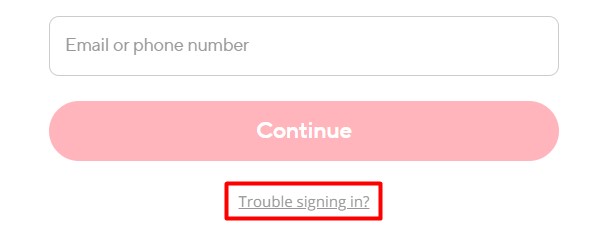
2. Click on “Trouble signing in?”.
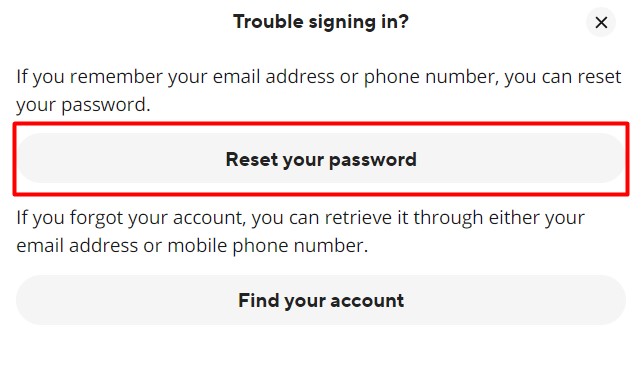
3. Select “Reset your password”.
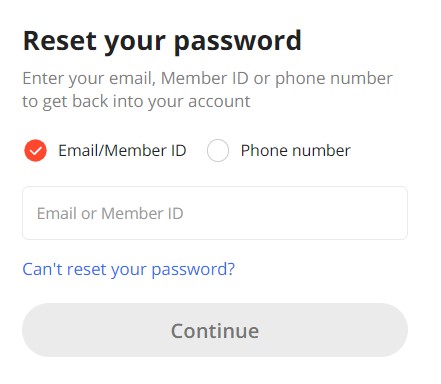
4. Enter your email or phone number on the page that opens and click “Continue”.
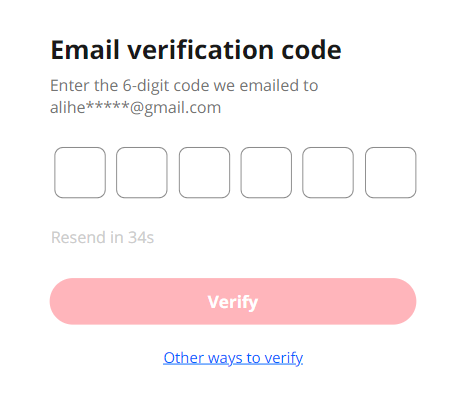
5. Enter the code sent to your e-mail, if you have entered one. If you have entered a phone number, you will receive a call that does not need to be answered. Enter the last 6 digits of the incoming number in the window that opens. After the call, the option to request password recovery by SMS code will also open.
6. You will then be able to enter a new password.
If you forgot your login but have order details
1. Go to the website and click on “Sign in / Register”.
2. Click on “Trouble signing in?”.
3. Select “Find your account”.
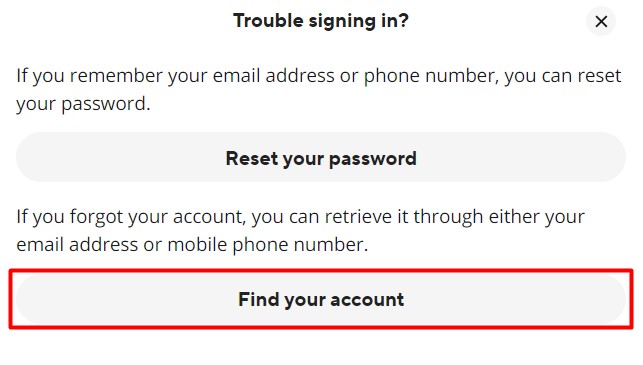
4. You will be prompted to find the account by searching through email, phone numbers or order information. Let’s focus on the last point.
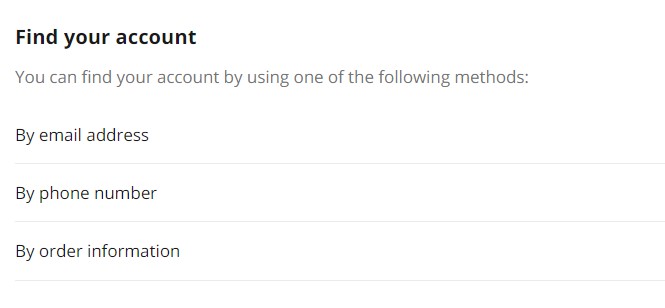
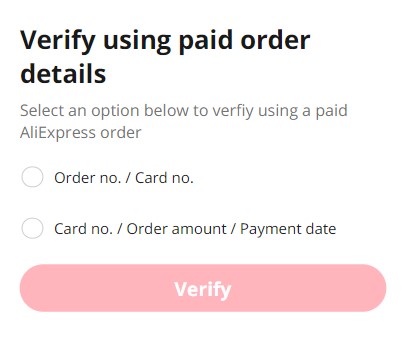
5. To restore your account this way, you may need to provide either the order number and the first 6 and last 4 digits of your credit card, or the first 6 and last 4 digits of your credit card, the order amount and the date of payment.
Restore your AliExpress account through support
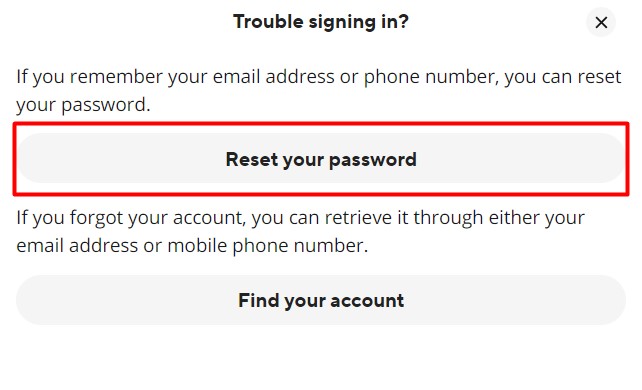
In case you do not remember your mail or phone number specified during registration, or information about your orders, you can try to restore your account through the support service. To do this, on the login page, click on the third step from the “If you remember your login (mail or phone number)” section and select “Reset your password”.
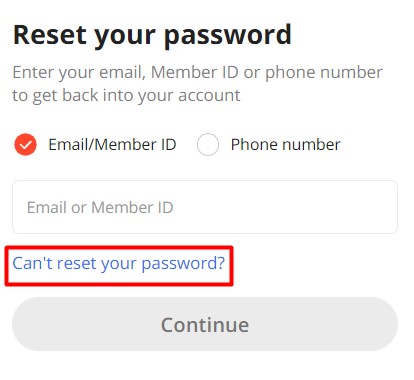
Next, click “Can’t reset your password?”.
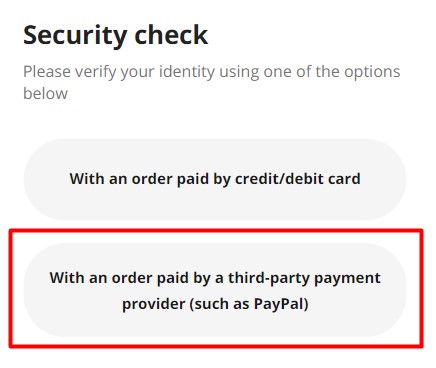
And then “With an order paid by a third-party payment provider (such as PayPal)”.
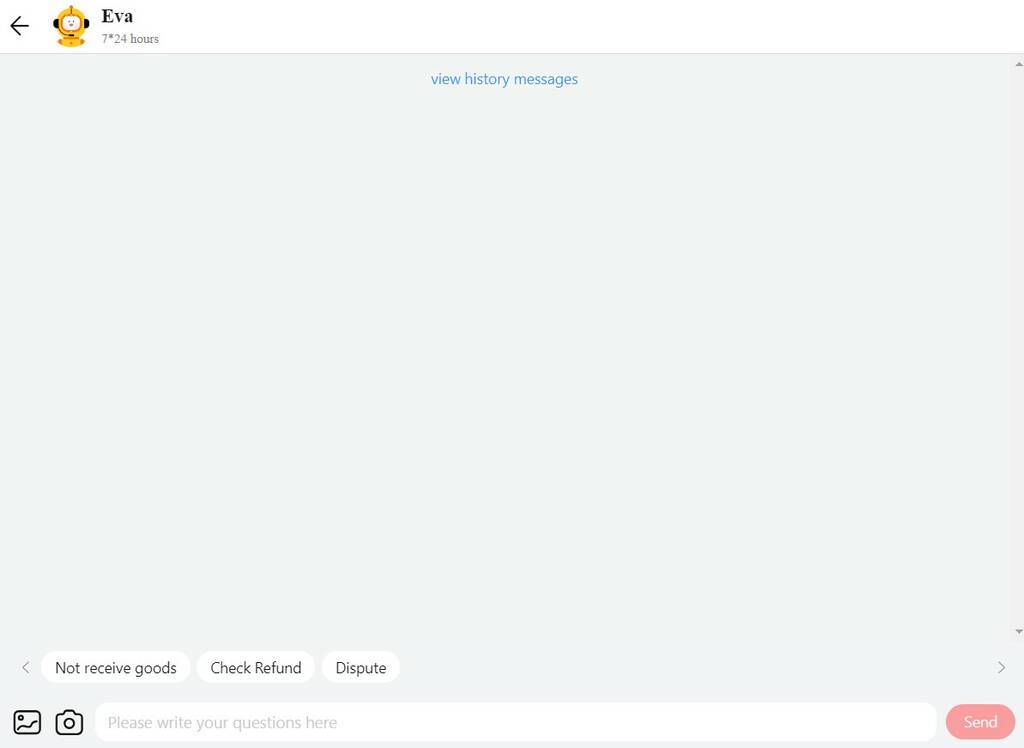
In the support chat box that opens, select the option that lets you contact support.
Restore access to the account in the mobile application
The processes are similar to restoring an account by mail on the AliExpress website.
Might be of interest: How to track package on AliExpress.
Restore a blocked account
The process and success of restoring an AliExpress account that has been blocked depends on the reason that caused the problem.
Unactivated account
If your AliExpress account was blocked due to an unconfirmed email within three days of registration, you need to restore access. Next to the blocking message, look for the “Account reactivation” button, click on it and attach your passport scan.
Suspected rule violations or fraudulent activity
If your profile was suspected of fraud, after the blocking, you will most likely not be able to unblock it. In serious cases, recovery may be difficult, and support may not restore the account.
Frequent disputes with sellers
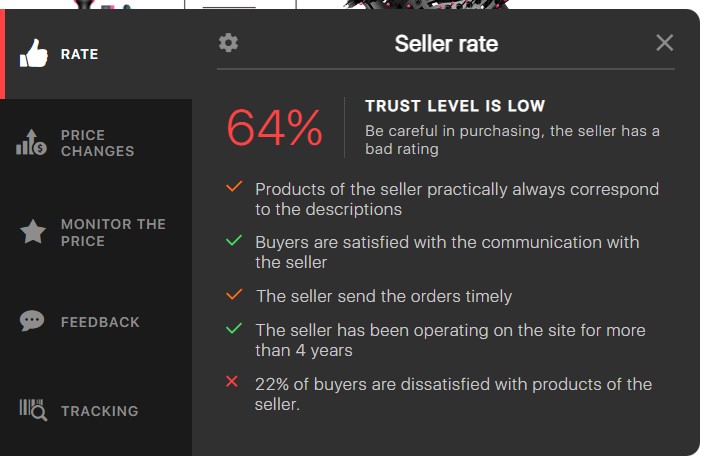
Blocking can occur if the number of disputes on active orders exceeds 50%. Sellers on AliExpress can file a complaint against the buyer. Experience shows that it is almost impossible to restore the account in such a case. To minimize disputes, try to buy goods only from good sellers on AliExpress. AliHelper can help you find more reliable sellers before ordering. It will show the rating of each store on 5 criteria. It will also track parcels and discounts, show a price change graph, find similar products, etc.
Multiple active accounts with the same data
If you have two or more active accounts with the same information, AliExpress administration may perceive it as fraudulent and block them. As in the case with the previous reason, the chances of account recovery are slim.
Always be polite and constructive when communicating with the support team. Be ready to provide all necessary information and documentation.
Keep in mind that some blockings may be irreversible, especially if they are related to serious violations of AliExpress rules. Watch for updates in AliExpress messages, app notifications and your email inbox.
What if your order history disappeared after login?
If you reset your password, logged in successfully and found an empty order history, do not panic immediately. Very often this means you are not in the old account.
AliExpress users can accidentally create or enter a different account through:
- email login;
- phone number login;
- Google;
- Facebook;
- Apple;
- another email address;
- another phone number;
- old social login that was used years ago.
What to do:
- Log out.
- Try every login method you may have used before.
- Search your email inbox for old AliExpress order confirmations.
- Check which email address received those confirmations.
- Try logging in with that email.
- Check whether old orders appear.
- If you still cannot find them, contact AliExpress support with order numbers, payment screenshots and confirmation emails.
The account is not necessarily gone. You may simply be standing in the wrong digital room.
Frequently Asked Questions
Can I recover a locked AliExpress account?
It all depends on the reason why your account was blocked. If the administration suspected you of attempting or committing fraud, practice shows that you can immediately start a new account. In other cases, if for some reason this account is dear to you, contact support and provide clear evidence of account ownership, detailing the situation.
I deleted my account on AliExpress. How do I restore it?
If you accidentally or intentionally deleted your account yourself, it is much faster to register again. The process of restoring a deleted account through the support service can take months.
Aliexpress writes that the account does not exist. What to do?
At the moment, in such cases, if your account is not found, the inscription “Incorrect credentials” appears. First of all, when entering data, check if the Caps Lock key is turned on and the language you are typing in. If you are sure that your login and password are correct, contact the support service on the website or in the mobile application.
Conclusion
Restoring an AliExpress account starts with one question: what exactly went wrong?
If you forgot the password, recovery is usually straightforward: email, phone number, verification code, new password. If you forgot the login, old order emails and payment information become your best clues. If your order history disappeared after login, check whether you entered a different account by mistake. And if the account is blocked, the result depends on the reason for the block.
The main rule is simple: do not create five new accounts in panic. First, find the old login method, collect order evidence and contact support with clear information.
AliExpress accounts are not just usernames. They hold orders, disputes, favorite stores, coupons and proof that yes, you really did buy that strange gadget at 3 a.m.









I have and account with AliExpress for many years, I have been using the account for so long, I recently tried to login in to the account but there was no signing in option except to register or troubleshooting options, I was ask to enter my email which I did and received a code and was asked to reset my password after which a new account was created with my email and the old one was no where to be find. I want my old account back not this new one
why aliexpress application not refister reagin access temporary locked
Hello!
If you’re seeing the message “AliExpress application not registering — access temporarily locked,” it usually means that the system has detected suspicious activity. This can happen due to:
– Too many login attempts in a short time;
– Using a VPN or proxy;
– Logging in from a new device or unfamiliar IP address;
– Trying to create multiple accounts.
Here’s what you can try:
– Wait a few hours and try again;
– Clear the app cache or reinstall the app;
– Try logging in using mobile data instead of Wi-Fi;
– Make sure you’re using the latest version of the app;
– If the issue persists, contact AliExpress support via the website or in-app help center.
what do you recommend me to do ?
Hi
Hello!
It’s possible that you accidentally logged into a different account — for example, using Google, Facebook, or a different email address. This sometimes happens on AliExpress, and in such cases, your order history will appear empty because you’re in a new (or duplicate) account.
Here’s what you can do:
– Try logging in through other methods you may have used before — email, Google, Facebook, Apple, etc.
– Check your email inbox for order confirmation messages. Look at which email address they were sent to — that will help you identify the correct account.
– If you’re sure it’s the same account, contact AliExpress customer service. Provide details like order dates, confirmation emails, or payment screenshots.
– If your order history disappeared right after changing your password, it may have been a technical issue. In that case, support can help you recover access to the correct data.